Posts

Preferred way of commnnunication
Image
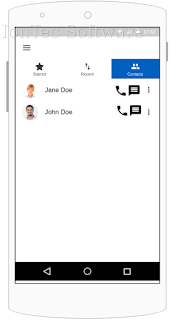
It's all started few days ago when I overheard a conversation of two guys where one was complaining about how expensive to send and receive SMS messages on his ages old unlimited plan from one of the leading cellular providers and how would it make his life easier if people would use chat app to reach out to him. At that point I thought to my self, he is right, it's all different, we are all different! Why can't I set a preference for each contact in my miles long contact list and when I hit chat it will bring chat app preferred by that person, whether it's SMS or WhatsApp or any other app, and when I hit call once again it will call that person on his/her preferred phone app, whether it's VOIP apps like Viber or just a regular phone app. Those two simple actions could simplify user experience as different users could have a different preferences for communication. Something like this: All of that led to a creation of PreferredWay open source application for ph...

Web apps as a replacement for desktop apps

I've been using Ubuntu for a long time, and there were good days and there were of course bad days. However in most of the cases Canonical had a lot of great ideas. Today I would like to focus on one awesome idea, at least it looked awesome on the paper. It's web applications. It's been several years since I started using those and I've had enough data to establish opinion on what would fit my needs. Idea is pretty simple you should be able to interact with web application in a similar manner to what is available for real desktop apps and then OS would guarantee seamless experience for web app. I was so happy to see that idea coming alive with 14.04. My expectation especially around Google services was that you should be able simply create an Online Account and system will keep me logged in for as long as I want. Enough with expectations, let's try it, I was thinking to myself. First try disappointed me a lot, Online Accounts was not working seamlessly, web appl...

Hardware vs software in one ecosystem.

Lately I've started to get irritation from what is going on with Android ecosystem. Don't get me wrong, I love Android OS and ecosystem around it and it's openness in fact I see it as main target for my new business venture IonTraker , however just as user there are a lot of things which I can not stand, like phone makers who don't really bother to update OS for example. When it all started Google needed to get hardware vendors on board, so they gave a lot of lea way to them and that actually what I think is killing ecosystem today. Think about it, on a daily basis I see new phones coming out from a different hardware vendors, for them it is a race for money. They are supported by big carriers to whom it a business sell us new devices and sooner you update your phone the more money they will make on it. All of them burning a lot of advertisement dollars trying to prove that 13 MP camera is 20 times better than 12.5 MP or that 1.5Ghz processor in their new phone 100 tim...

Little bit of the fun with Jenkins

Image
Finally I decided to write about configuring Jenkins server, which is absolutely must have tool for any software project. This is how project itself describe what Jenkins is on their own web site : In a nutshell Jenkins CI is the leading open-source continuous integration server. Built with Java, it provides 1009 plugins to support building and testing virtually any project. That's not going to be a full tutorial on how to do a perfect configuration of Jenkins, I am targeting simplicity and as a result goal of this tutorial is providing quick and dirty way to set everything up and have it running ASAP. It's sort of Jenkins servers in a nutshell for busy entrepreneurs. Also I am going to limit this tutorial only to my system which is Ubuntu and I am planning to use Jenkins for project written in PHP, so all tools going to be for PHP as well. Let's start with Jenkins installation. First step is to add Jenkins repository for Ubuntu and install package. First adding key ...

Python for a quick prototyping

Lately I was looking for a simple app  to help me manage priorities on my todo list, and when I realized that there is no app which could satisfy me I've decided to create my own. So what did I need from such app is simply organize data output, in other words print lines of data in a particular area of the window and some colors to distinguish things. I already have script which I am using to enter data and I am fairly happy with it. Almost forgotten, another requirement that I had back then is app has to be GUI form and work under Linux. I've started looking on what will get me up and running as fast as I can, because surely if you want to achieve performance you would choose something as close to native as possible, C++ for example, but I was not going to write new game and do not need performance of native app. I could have done it in a bash script, but then remember I wanted GUI form. I've decided to look into scripting languages and accidentally came across next tutor...

Insuficcient storage available message on Android phones

Image
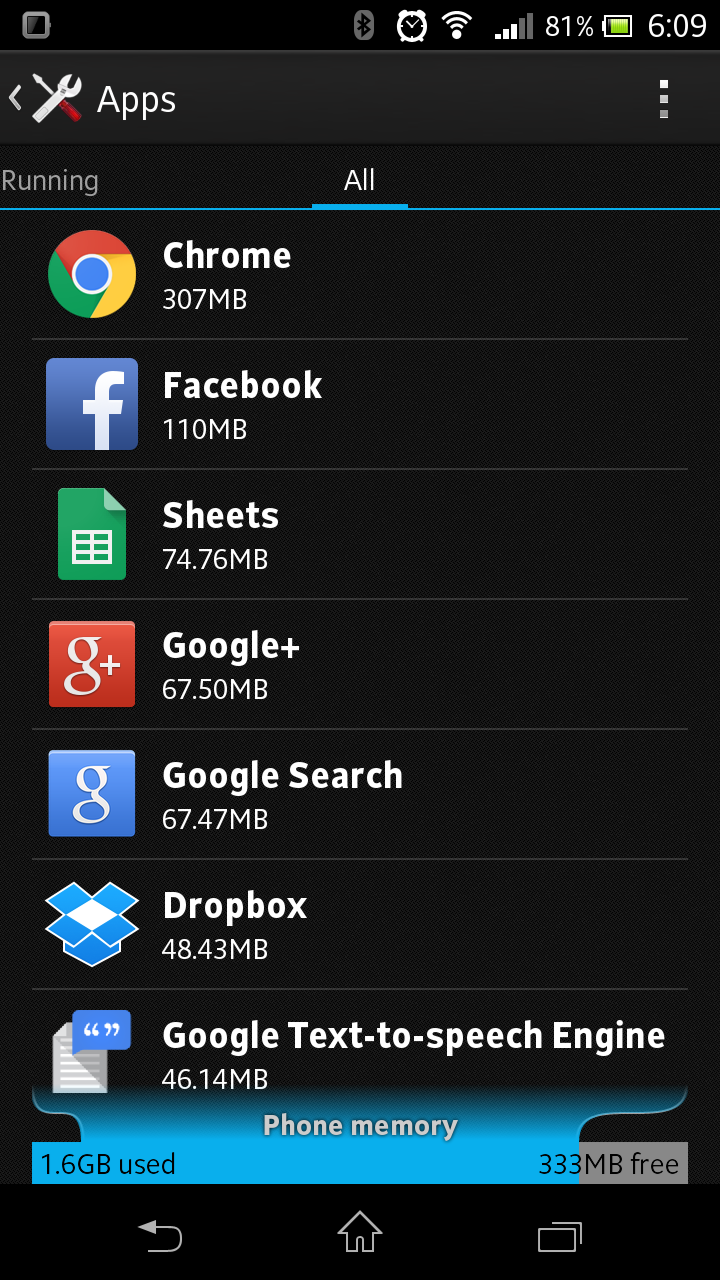
Just to make things clear I am using Sony Xperia TL from AT&T, so everything I am talking about here is related to that phone and version of Android OS I am currently using which is 4.1.2. Recently I've started to run into an "Insufficient Storage Available" error message on my Android phone. So where does that come from, since I have several gigs of internal storage available, I though to myself, right? Well that's turn out to be wrong. Apparently all your gigs of internal storage are irrelevant if your phone has "Phone/Device Memory" partition on top of "Internal Storage" partition, and in my case it's just 2GB. All applications by default will get installed to that partition. Since that problem was very annoying I've started to look into what can be done to avoid it. Here are few steps I found working: Step 1 -  Move stuff to Internal Storage. Move all apps which could be moved to Intenal Storage, that will still leave some ...

New life with an old friend aka new firmware for Samsung Captivate.

Once upon a time I use to pull out some old device from an old box in attempt to bring new life into it. This time it happens with my old Samsung Captivate. Especially in a sense of upcoming trip and with carriers changing their unlock policies after Library of Congress decided one thing and then FCC made a "deal" with them, but all of that deserves it's own blog entry. Long story short AT&T declined request to unlock phone prior to contract expiration. So I turned my sight to an morally old Samsung Captivate, and surely after using Jelly Beans for several years I didn't want to settle with Ginger Bread official version installed on Captivate. So I went on a journey of what can I do to get a latest and greatest for it. I've been following project called CynogenMod for a while now and finally decided to try installing it. I went to their site to check their status on support for Captivate and surprisingly they supported it, in fact they had Jelly Bean equival...